We have compiled a list of manufacturers, distributors, product information, reference prices, and rankings for SSD Stand.
ipros is IPROS GMS IPROS One of the largest technical database sites in Japan that collects information on.

SSD Stand - List of Manufacturers, Suppliers, Companies and Products

SSD Stand Product List

1~2 item / All 2 items

Displayed results

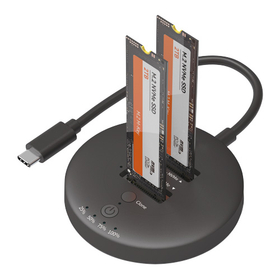
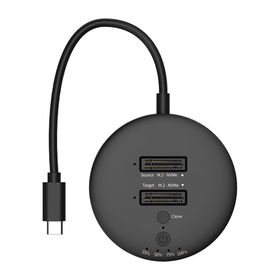
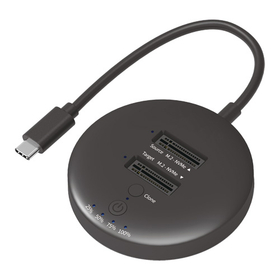
M.2 NVMe SSD Stand 'HDE-21'

Achieves high-speed data transfer of 20Gbps (theoretical value) in an environment compatible with USB 20Gbps.

The "HDE-21" is a stand that turns two M.2 NVMe SSDs with cloning functionality into an external USB drive. It can be used simply by inserting an internal M.2 NVMe SSD into the slot. No screws or tools are required. It features a cloning function that allows you to duplicate drives with the press of a single switch, without connecting to a computer. During the cloning operation, it is equipped with an error skip function that bypasses error areas on the source drive. 【Features】 ■ A stand that turns two M.2 NVMe SSDs into an external USB drive ■ Compact and convenient for portability ■ Easy to handle with an integrated cable, making connection simple ■ Ideal for data backup ■ No drivers required, operates with standard Windows drivers *For more details, please download the PDF or feel free to contact us.

Added to bookmarks

Bookmarks list

Bookmark has been removed

Bookmarks list

You can't add any more bookmarks

By registering as a member, you can increase the number of bookmarks you can save and organize them with labels.

Free membership registration

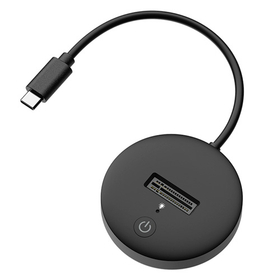
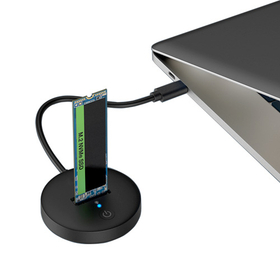
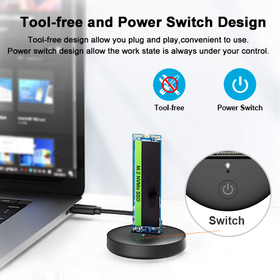
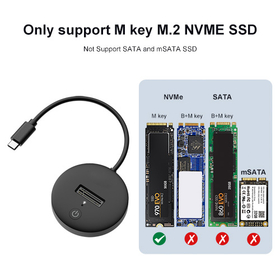
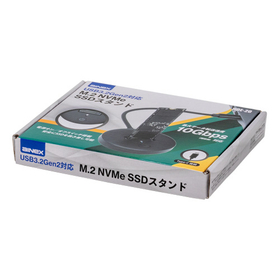
M.2 NVMe SSD Stand 'HDE-20'

Equipped with a power switch, you can safely insert and remove the SSD!

The "HDE-20" is a stand that turns an M.2 NVMe SSD into an external USB drive compatible with USB 3.2 Gen 2. It features a power on/off switch. When the switch is turned off, the SSD does not receive power even when connected via cable, allowing for safe insertion and removal of the SSD. When the switch is turned back on, the computer immediately recognizes the SSD. The blue indicator clearly shows the power on/off status and access status at a glance. 【Features】 ■ Use M.2 NVMe SSDs simply by inserting them into the slot without a case ■ Compact and convenient for portability ■ Easy to handle with an integrated cable, making connection simple ■ Ideal for data backup ■ No driver required; operates with standard Windows drivers *For more details, please download the PDF or feel free to contact us.

Added to bookmarks

Bookmarks list

Bookmark has been removed

Bookmarks list

You can't add any more bookmarks

By registering as a member, you can increase the number of bookmarks you can save and organize them with labels.

Free membership registration